AppForceps
Intro video
Overview
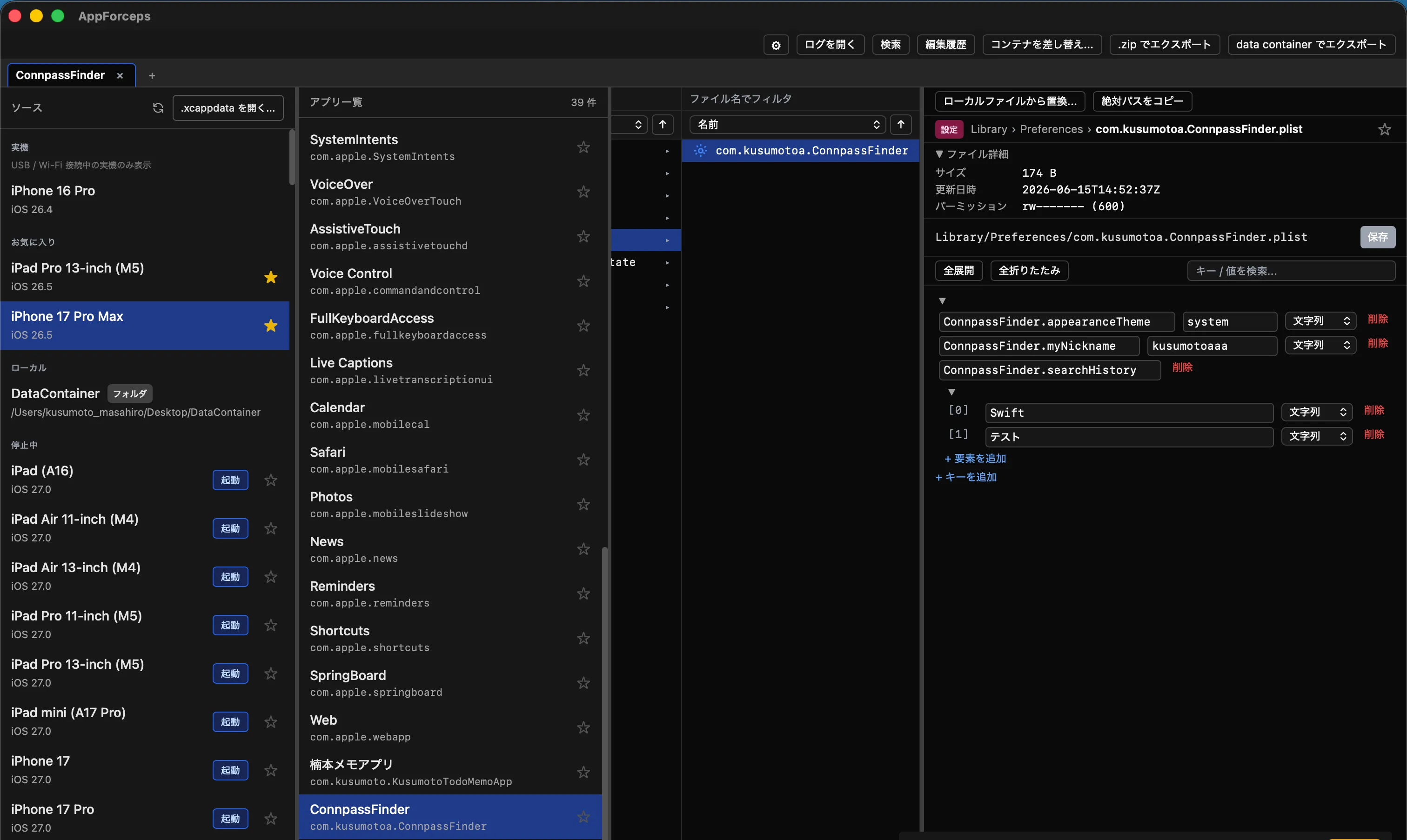
AppForceps is a macOS desktop app that opens the Data Container of an iOS simulator—or one extracted from a real device via Xcode or Device Hub—and the app data of Android devices connected over adb, all in a GUI, so you can directly edit plist, SQLite, JSON, and SharedPreferences. It can also list and preview KV stores such as LevelDB and MMKV, as well as the contents of zip and gzip archives. A Finder-like four-pane layout lets you drill down from Devices → Apps → Files → Editor with the arrow keys.
It aims to collapse into a single GUI action the usual routine of running plutil or sqlite3 from the shell and restarting
cfprefsd with xcrun simctl spawn ....
Key features
Open iOS and Android data in a GUI
Handle simulator Data Containers, .xcappdata, and local folders, plus Android devices over adb, all in a single UI.
Built-in plist, SQLite, and JSON editors
plist is auto-detected as XML or Binary and edited with types. SQLite is updated cell by cell, and Android SharedPreferences and Jetpack DataStore are also edited with types.
Switching Firebase A/B Testing variants
Check how variants you were not assigned to behave. Works on both iOS and Android.
Undo / Redo
Up to the 20 most recent edits are recorded — undo with Cmd+Z, redo with Cmd+Shift+Z. Experiment safely.
Cross-source search and quick navigation
Search file names, plist keys, and SQLite table names across all sources. The command palette and favorite jumps take you straight to the file you need.
Session restore
Even after a force quit, the next launch restores the tab layout and even the selected file, so you can resume work across tabs and windows right away.
Installation
You can install it with Homebrew.
brew install --cask kusumotoa/tap/appforcepsRuns on macOS 13 (Ventura) or later.
Usage examples
For the motivation behind the development and workflows on real devices, see the blog posts below.
-
I built an app to work with the Data Container of iOS simulators and real devices
Explains the difference between xcappdata and the Data Container, real-device workflows combined with Xcode / Device Hub, and how to directly rewrite Firebase Remote Config's SQLite
-
Why writing an iOS plist back doesn't take effect, and restarting cfprefsd as the fix
The background behind the cfprefsd restart AppForceps performs under the hood, and how it delivers SIGTERM to the simulator / real device