Mimicry
Intro video
Overview
Mimicry is an HTTP/HTTPS proxy tool for iOS/Android developers. It intercepts your app's traffic and returns any response you define, so you can build and test without depending on a live server.
It streamlines the mobile app development workflow.
Key features
Automatic setup
Install the certificate on the iOS Simulator or Android Emulator in one click. Proxy settings are configured automatically.
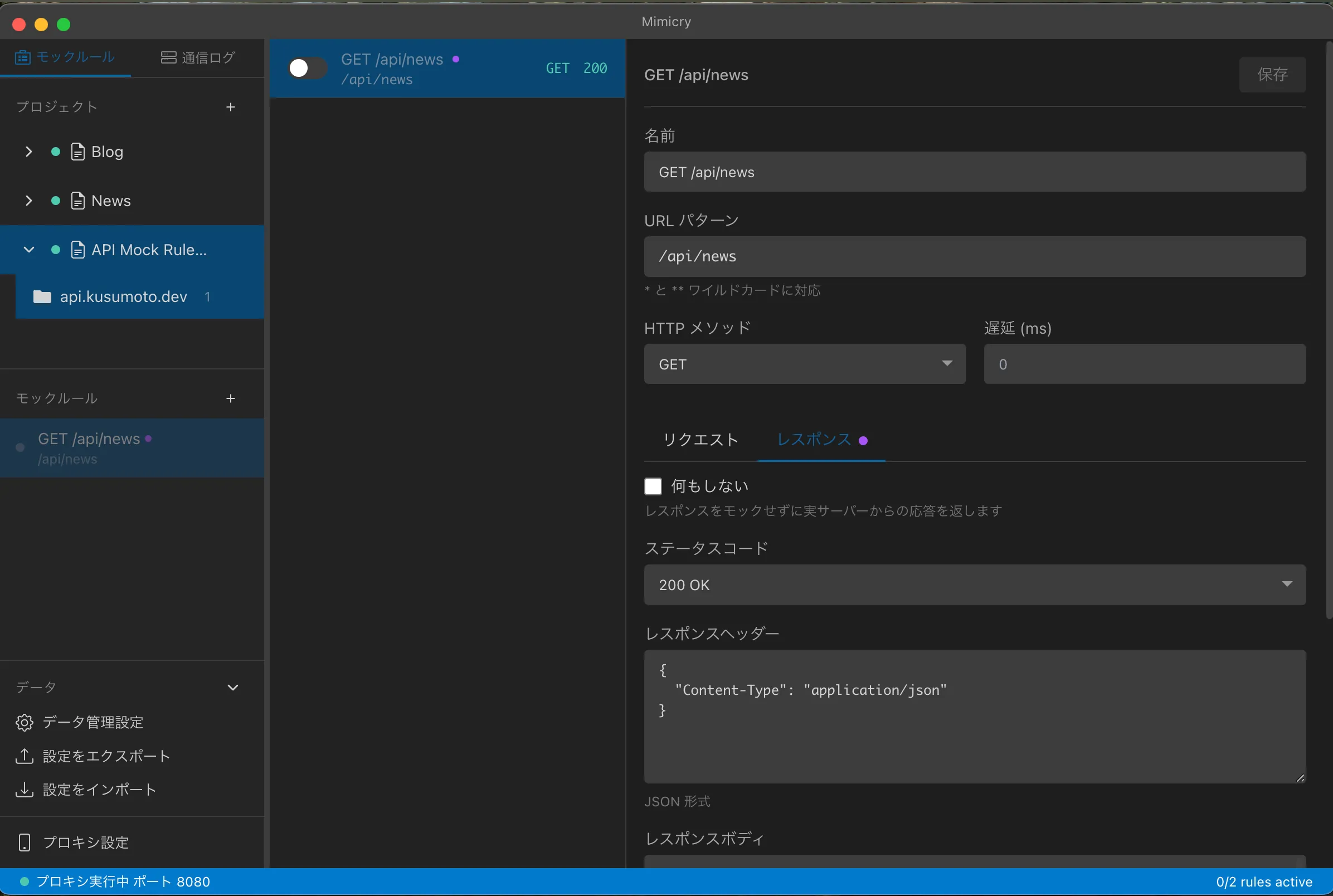
Mock rule management
Organize mock rules in a project/folder structure. Requests are intercepted by URL pattern matching.
Real-time traffic log
See your app's traffic in real time and inspect the details of each request and response.
Auto-generate rules
Create a mock rule straight from a traffic log. The URL pattern and response are filled in for you.
Time Travel mock
Record API traffic and replay it as a mock. Screen capture is recorded at the same time, so you can review the traffic and video in sync.
Cloud Publish
Publish mock rules to the internet temporarily. Real devices outside your LAN, external beta testers, and CI can reach them directly (free tier available, expandable with a license key).
Installation
Install with Homebrew.
brew tap kusumotoa/tap
brew install --cask mimicry
macOS 15.0 or later is required.
Quick start
Launch Mimicry
Start the app.
Configure your device
Click Proxy Settings at the bottom of the sidebar, pick your target device (iOS Simulator / Android Emulator), and install the certificate.
Capture traffic
Run your app and its traffic appears in the Traffic Log in real time.
Learn more
Setup guide
How to configure the iOS Simulator, Android Emulator, and real devices
Mock rules
Creating and managing mock rules
Traffic log
Inspecting and filtering the traffic log
Advanced
Conditional matching, pass-through, latency simulation
Time Travel
Record, replay, and modify traffic
CLI & API
Command line and REST API
Cloud Publish
Publish mock rules to the internet temporarily (free tier available)