Mock Rules
Basic concepts
In Mimicry, mock rules are organized in a hierarchy.
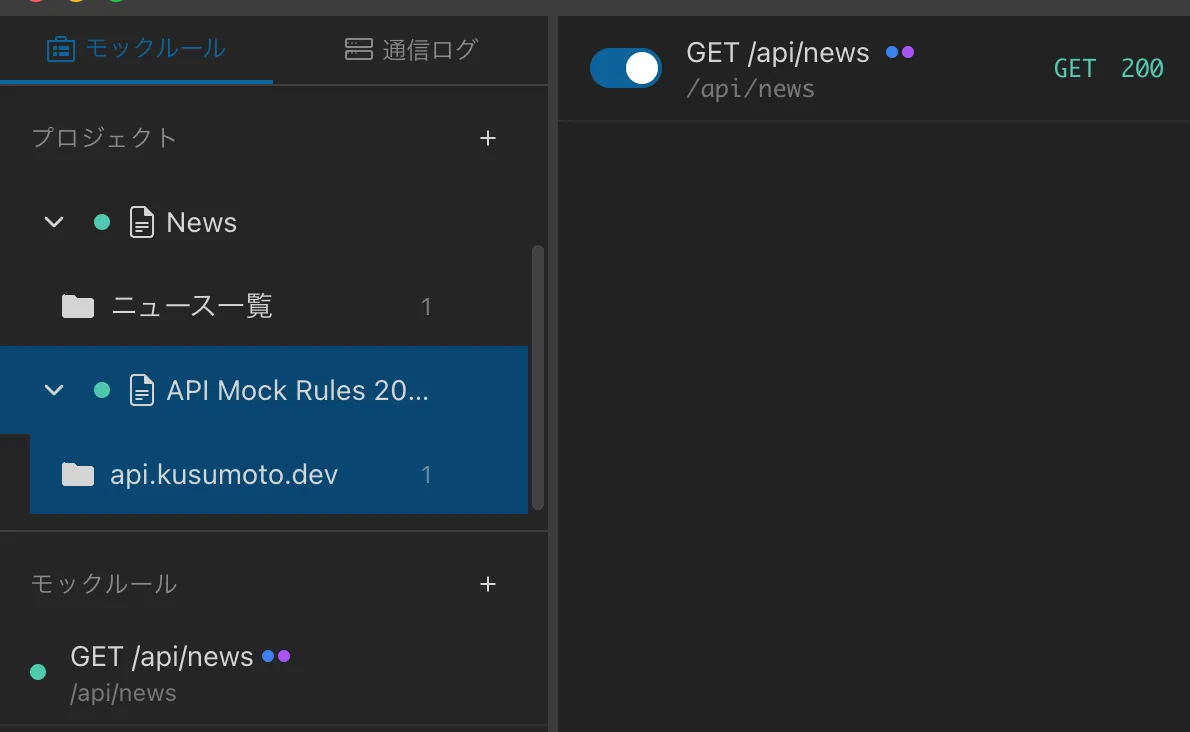
Each rule can be toggled on or off; a disabled rule is no longer applied.
Creating a rule
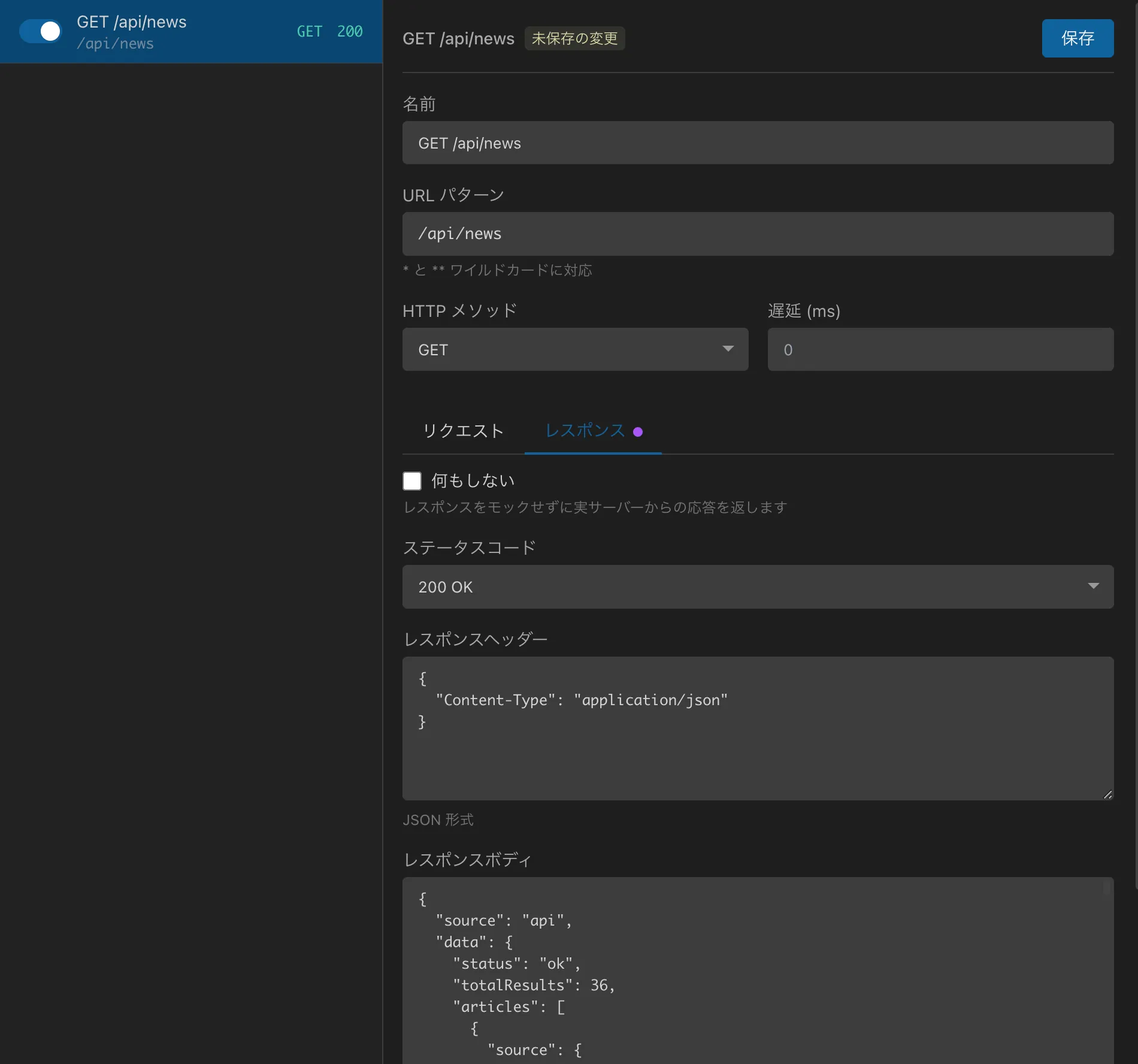
Select the folder to add the rule to in the left sidebar.
Set the URL pattern, HTTP method, and response.
Click the Save button to save the rule.
Make sure the rule is enabled (toggle switch).
Settings
URL pattern
Specify a pattern that matches the request URL. You can use wildcards (*).
# Exact match
https://api.example.com/users

# Path wildcard
https://api.example.com/users/*

# Multi-segment wildcard
https://api.example.com/*/profile

# Domain wildcard
https://*.example.com/api/*
HTTP method
Specify the HTTP method to match.
Selecting "All methods" matches every HTTP method.
Status code
Specify the status code of the response. Common codes are available as presets, and selecting "Custom" at the end of the list lets you enter any code from 100 to 599 directly.
Response headers
Specify the response headers in JSON format.
{
  "Content-Type": "application/json",
  "Cache-Control": "no-cache"
}
Response body
Set the response body. You can specify it in any format, such as JSON, text, or HTML.
{
  "id": 1,
  "name": "John Doe",
  "email": "[email protected]"
}
Delay (milliseconds)
Specify the delay in milliseconds before the response is returned. Use it to test network latency and timeout handling.
Projects and folders
Creating projects and folders
You can create a project or folder from the + button at the top of the left sidebar.
Duplicating a rule
Duplicate an existing rule to create similar rules efficiently.
- Right-click the rule you want to duplicate
- Select "Duplicate"
- A rule with the same settings is created
This is handy when creating multiple rules with similar URL patterns or responses.
Drag & drop
You can reorder rules and folders by drag and drop. You can also move rules between multiple projects.
Enabling and disabling
Each rule has an enable/disable toggle switch. A disabled rule does not match requests.
Rule priority
When multiple rules match, the rule higher in the list takes precedence.
Hint: We recommend placing more specific rules (such as exact matches) higher and general rules (wildcards) lower.