Time Travel
What is a Time Travel mock?
Mimicry's Time Travel feature packages API traffic, screen recordings, and device information into a single .mimicry file.
You can replay a recorded file directly as a mock, reproducing the same traffic as many times as you like even when the server is down. Share the file and whoever receives it can reproduce the exact same network environment.
Unlike the HAR export in Charles or Proxyman, it handles replaying traffic data, synchronized playback of the screen recording, and recording device information all in a single file.
Recording
Start recording with the record button on the traffic log screen.
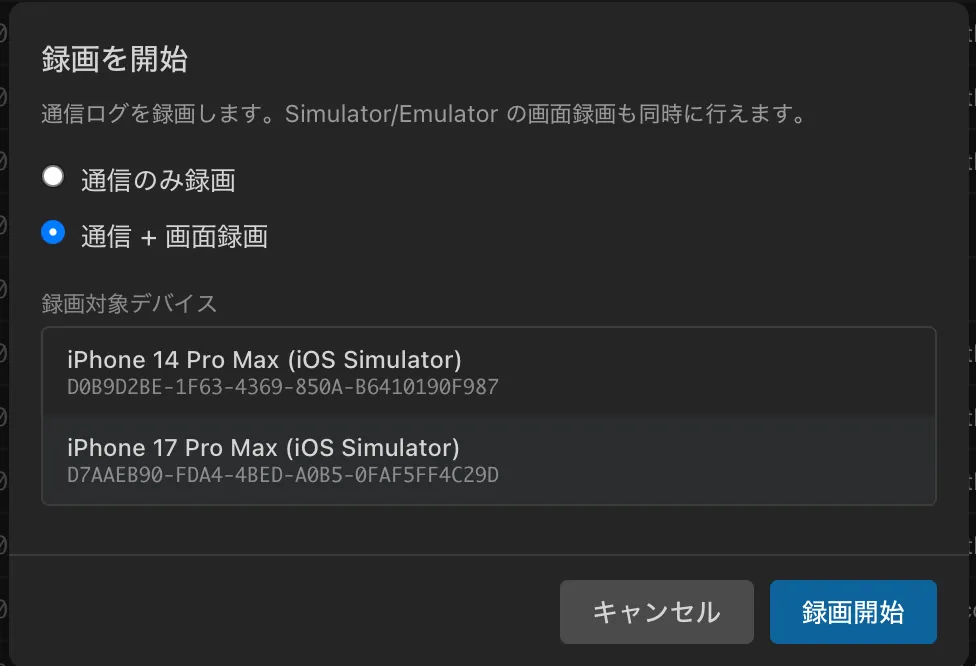
Recording modes
Traffic only
Records only HTTP/HTTPS traffic data.
Traffic + screen recording
In addition to the traffic data, records the device screen as a video at the same time.
Devices supporting screen recording
| Device | Support |
|---|---|
| iPhone (physical device) | Supported (via the Mimicry Capture app) |
| iOS Simulator | Supported |
| Android (physical device) | Supported |
| Android Emulator | Supported |
Recording flow
All traffic is recorded while recording is active. A recording indicator appears in the status bar.

Set a filter to record only specific domains or apps.
When you stop, it is saved as a .mimicry file.
.mimicry file
Recordings are saved in the .mimicry format. Everything needed to reproduce an issue is packaged into a single file.
API traffic
All request and response data (URL, method, headers, body, status code)
Screen recording
A video of the device screen (mp4), synchronized with the traffic by timestamp.
Device information
Device type (physical device / simulator), model name, OS version
Difference from HAR: HAR is a text-based traffic log with no replay capability. A .mimicry file can replay the traffic directly as a mock and is a self-contained package that also includes the screen recording and device information.
Replay
Select a recording from the recording library and replay it. During replay, Mimicry returns responses from the recorded data, so no communication with the server is needed.
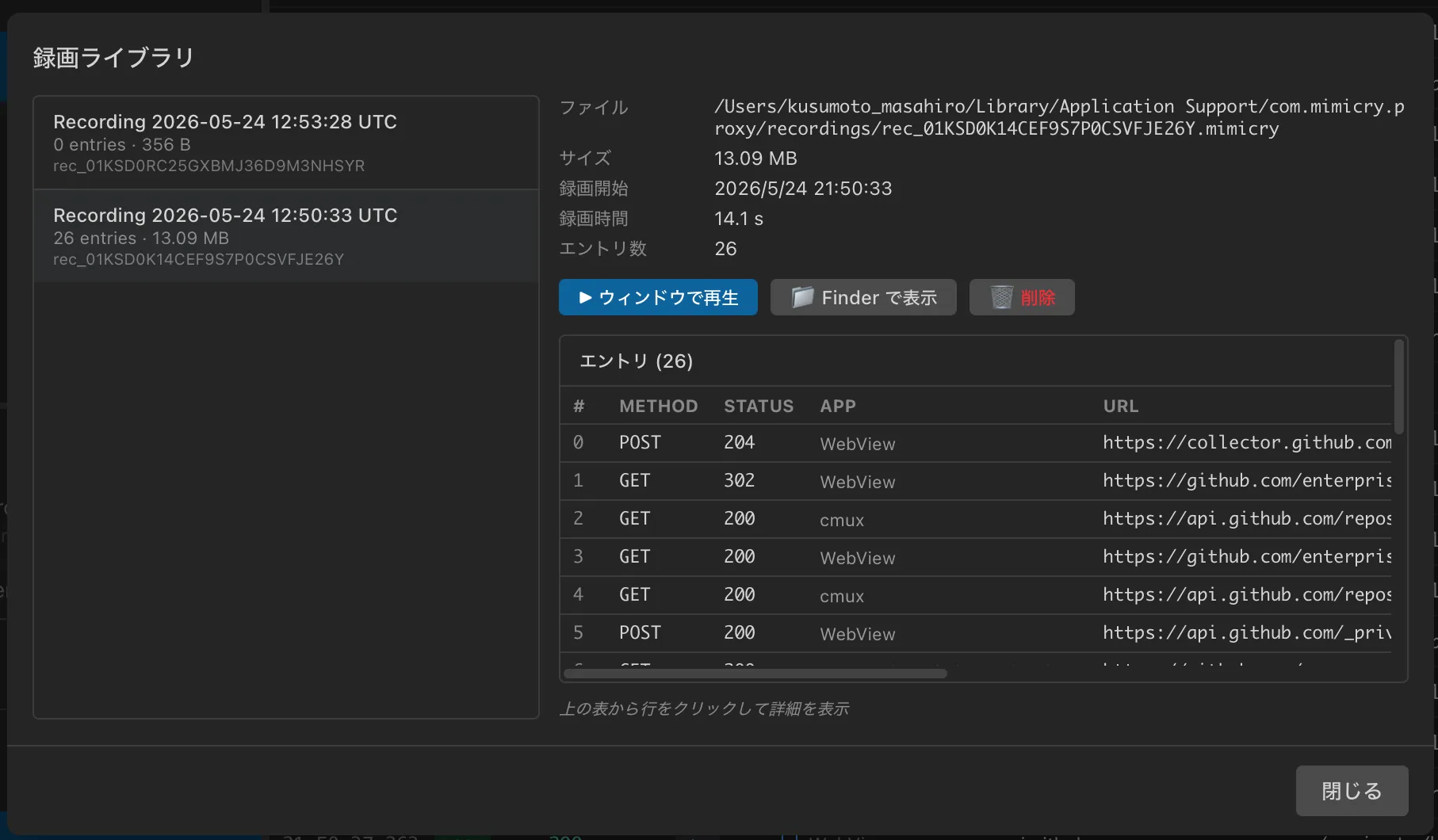
Matching method
For requests whose URL and method match, the recorded response is returned. The order of requests does not matter.
Tip: Responses are returned correctly even if the app is operated in a different order than during recording.
Replay viewer
A dedicated window that replays the recorded screen and traffic log in sync.
Split view
Displays the video player and the entry list split vertically or horizontally.
Timeline bar
Visualizes when each request occurred on a timeline.
Playback speed
Choose from 0.5x / 1x / 1.5x / 2x playback speeds.
Sharing
Just hand over a .mimicry file to share everything needed to reproduce an issue.
How to share
AirDrop
Slack
Git
What the recipient does
Double-click the .mimicry file, or drag and drop it onto Mimicry
Replay the screen recording and API traffic in sync in the replay viewer to inspect the issue
Start Time Travel replay and the app receives the same API responses, reproducing the same behavior
Key point: It does not depend on the server state or the network environment. The recipient can fully reproduce the recorded traffic entirely in their local environment.
Use cases
Sharing bug reproductions
Eliminates "it doesn't reproduce on my machine." Because the traffic, screen, and device information from when the issue occurred are all packaged together, the developer who receives it can reproduce the exact same traffic regardless of the server state.
QA records when the issue occurs
.mimicry file attached to the ticket
Developer opens the file and reproduces and fixes it immediately
Developing while the server is down
Replay a recording to keep developing without a server. Your work never stops, even during maintenance.
Streamlining code review
Replay the screen and traffic in sync to verify behavior. Reviewers can quickly grasp the actual behavior.